


Introduction
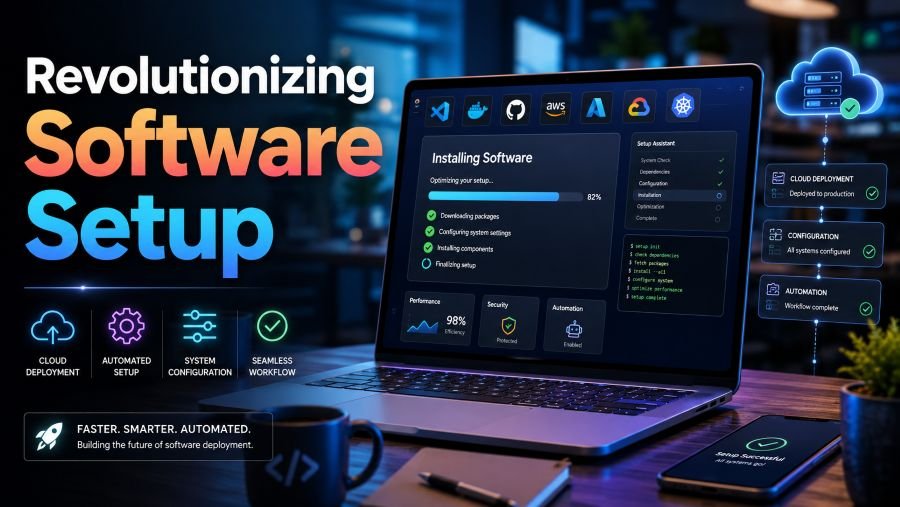
Revolutionizing software setup means replacing slow, confusing, and repetitive installation work with a faster and more reliable process.
In the past, users often had to search for an application, find the correct download page, choose a suitable version, follow a long installation wizard, add dependencies, and fix compatibility problems. Modern setup tools can automate many of these steps.
Package managers, containers, configuration files, virtual environments, and cloud development platforms now allow individuals and businesses to create working software environments with fewer manual actions. These technologies also make it easier to repeat the same setup on another computer.
What Does Revolutionizing Software Setup Mean?
The phrase revolutionizing software setup refers to making a major improvement in how software is installed, configured, updated, and maintained.
A modern setup process should be:
- Fast and easy to follow
- Repeatable on different computers
- Secure against unsafe downloads
- Simple to update or remove
- Clear enough for beginners
- Flexible enough for developers and businesses
The main objective is not only to install an application. It is to create a dependable environment in which the application can run correctly.
Why Traditional Software Installation Can Be Difficult
Traditional software setup may look simple, but several problems can appear during the process.
A user may download the wrong version for their operating system. An application may require another program or library that is missing. Two tools may need different versions of the same dependency. Security settings may block the installer, or an unofficial download page may provide an unsafe file.
These problems become more serious in business and development environments. When every employee configures a computer manually, each system may become slightly different. One worker may have a newer tool, while another may have an older version. These differences can cause errors that are difficult to identify.
A revolutionary setup process reduces these differences by turning installation instructions into an organised and repeatable workflow.
Package Managers Are Changing Software Installation
A package manager helps users discover, install, update, configure, and remove software through a central tool.
For example, Microsoft’s WinGet can manage applications on supported Windows systems. Instead of visiting several websites and running separate installers, a user can search for and install compatible applications through the command line.
Homebrew provides a similar approach for macOS, Linux, and Windows Subsystem for Linux. It can install command-line tools and applications while keeping packages organised in managed locations. Homebrew also supports a Brewfile, which can describe a desired set of software for repeatable installation.
Package managers offer several useful benefits:
- They reduce the need to search for individual installers.
- They simplify application updates.
- They can install several tools from one script.
- They make it easier to rebuild a computer.
- They provide clearer records of installed software.
However, users should still check the source, package name, publisher, permissions, and version before installing anything.
Automated Setup Scripts Save Time
A setup script is a file containing commands that prepare a computer automatically.
The script may install applications, create folders, copy configuration files, set environment variables, connect services, or prepare development tools. A team can store this script with its project and use it whenever a new member joins.
For example, instead of sending a long document containing twenty manual steps, a company can provide one approved setup command. The command performs the same actions in the same order for every authorised user.
Automation does not remove the need for documentation. A good setup should still explain:
- What the script installs
- Which permissions it requires
- Where files will be stored
- How to reverse the changes
- What users should do when an error appears
Clear documentation and automation work best when they are used together.
Containers Create Consistent Environments
Containers package an application with the tools and settings it needs to operate. They help isolate the application from the main computer and reduce differences between development, testing, and production systems.
Docker describes containers as reproducible and isolated environments that can produce more predictable results. Docker Compose can also define and run applications that require several connected containers or services.
For example, a web application may need:
- A programming language
- A database
- A web server
- Several libraries
- Specific environment settings
Installing everything directly on a computer can create conflicts. A container-based setup can define these components in files and start them together.
This approach is especially valuable when several developers work on the same project. Each person can use a closely matched environment instead of building one manually.
Containers are powerful, but they require proper maintenance. Teams must update base images, remove unnecessary components, control access, scan for vulnerabilities, and use trusted image sources.
Cloud Development Environments Reduce Local Setup
Cloud development environments move much of the setup process away from the user’s physical computer.
GitHub Codespaces, for example, provides configurable development environments hosted in the cloud. A project can store its setup configuration inside its repository, allowing authorised developers to open a prepared workspace through a browser or supported editor.
GitHub’s documentation explains that a development-container configuration can include the tools and scripts required by a project. This helps create a reproducible environment for people using the repository.
Cloud workspaces can be useful for:
- New employee onboarding
- Training and education
- Temporary development tasks
- Reviewing software changes
- Working from different devices
- Reducing local configuration problems
Their possible limitations include internet dependence, usage costs, data-location requirements, and access-control concerns. Organisations should consider these issues before moving sensitive projects into a cloud environment.
Virtual Environments Prevent Dependency Conflicts
Not every project requires a complete container. Sometimes an isolated language environment is enough.
Python’s venv module creates a virtual environment that is normally isolated from packages installed in the base Python environment. This allows each project to use its own required libraries without changing another project’s setup.
This is helpful when two projects need different versions of a library. Without separation, updating one project may break the other. With virtual environments, each project can keep its dependencies in its own controlled space.
Other programming ecosystems use lockfiles and similar tools. npm’s package-lock.json, for example, records a specific dependency tree so team members, deployment systems, and continuous integration processes can install the same dependency versions.
These methods make software setup more predictable and easier to troubleshoot.
Security Must Be Part of Every Setup Process
Faster installation is useful only when it remains secure.
Users should avoid downloading software from unknown websites, advertisements, copied download pages, or unverified file-sharing services. Whenever possible, software should come from its official publisher, a trusted operating-system store, or an approved package repository.
A secure setup process may include:
- Checking the publisher’s identity
- Verifying digital signatures or file hashes
- Reviewing requested permissions
- Using approved package sources
- Scanning files before installation
- Keeping software updated
- Removing unsupported applications
- Recording important configuration changes
NIST software-supply-chain guidance recommends stronger checks around software providers and, where practical, automatic verification of hashes or signatures for supplied software and updates.
Automation should not mean blindly running every command. Users and administrators should understand what an installation script will change before approving it.
How Businesses Benefit from Modern Software Setup
Businesses often prepare many computers for employees. Manual installation becomes expensive and difficult to manage when the number of devices grows.
A centralised setup process can help an organisation:
- Prepare new employee computers more consistently
- Apply approved security settings
- Install required business applications
- Remove outdated or unwanted tools
- Maintain clearer software records
- Reduce differences between devices
- Restore a damaged system more quickly
An organisation may create different setup profiles for designers, developers, accountants, support teams, or managers. Each person receives the tools required for their role without receiving unnecessary applications.
This can improve onboarding and reduce the amount of time technical teams spend repeating basic installation work.
Steps for Creating a Better Software Setup Process
1. List the Required Software
Create a clear list of essential applications, tools, libraries, accounts, and permissions.
2. Remove Unnecessary Items
Do not install an application only because it has always been included. Every extra tool can increase maintenance and security work.
3. Choose Trusted Sources
Use official websites, recognised package managers, approved repositories, or managed business stores.
4. Record Versions and Dependencies
Document the versions that are supported. Use lockfiles, configuration files, or container definitions where suitable.
5. Automate Repeated Work
Turn stable and frequently repeated steps into reviewed scripts or device-management policies.
6. Test on a Clean System
A setup may work on an old computer because some dependencies are already present. Testing it in a fresh environment reveals missing instructions.
7. Add Error Messages and Recovery Steps
Explain what users should do when installation fails. Include uninstall, rollback, and troubleshooting guidance.
8. Review the Setup Regularly
Software changes over time. Remove unsupported tools, update commands, check links, and test the full process after major changes.
The Role of Artificial Intelligence
Artificial intelligence can make software setup easier by explaining errors, recommending commands, generating configuration files, and guiding users through troubleshooting.
AI assistants may help a beginner understand a technical message or help a developer prepare an initial setup script. However, generated commands should be reviewed before they are used, especially when they request administrator access, download remote files, delete data, or change security settings.
AI should support human judgement rather than replace careful verification.
The Future of Software Setup
Future software setup will likely become more automated, portable, and policy-driven.
Applications may increasingly describe their requirements in machine-readable configuration files. Development workspaces may open with the correct tools already available. Businesses may use central policies to install approved software while blocking unknown packages.
The ideal setup experience will be simple for the user but carefully controlled behind the scenes. A person may complete one clear action while automation checks compatibility, obtains the correct package, verifies its source, applies settings, and confirms that the installation works.
Conclusion
Revolutionizing software setup is about creating an installation process that is faster, safer, repeatable, and easier to manage.
Package managers simplify application installation. Scripts reduce repetitive work. Containers and virtual environments prevent conflicts. Cloud workspaces give users prepared development systems, while security checks protect devices from unsafe software.
The best setup method depends on the user, project, operating system, and security requirements. However, every strong process follows the same basic idea: reduce unnecessary manual work without removing visibility, control, or safety.
Frequently Asked Questions
What is software setup?
Software setup is the process of installing an application and preparing the files, settings, accounts, permissions, and dependencies it needs to work.
What does revolutionizing software setup mean?
It means greatly improving the setup process through automation, package managers, containers, cloud environments, and repeatable configuration files.
Are package managers safe?
Recognised package managers can make installation more organised, but users must still confirm the package name, publisher, repository, permissions, and source.
What is an automated setup script?
It is a file containing commands that automatically install or configure software. The script should be reviewed, documented, and tested before wider use.
Why are containers useful?
Containers provide isolated and repeatable environments. They can reduce conflicts between applications and help software behave consistently across different systems.
Can AI install software automatically?
AI can generate or explain installation commands, but users should review every command before running it. Extra care is required when administrator permissions or remote downloads are involved.
What is the best way to improve software setup?
Begin with a clear list of requirements, use trusted sources, automate repeated steps, isolate project dependencies, test on a clean system, and review the process regularly.
